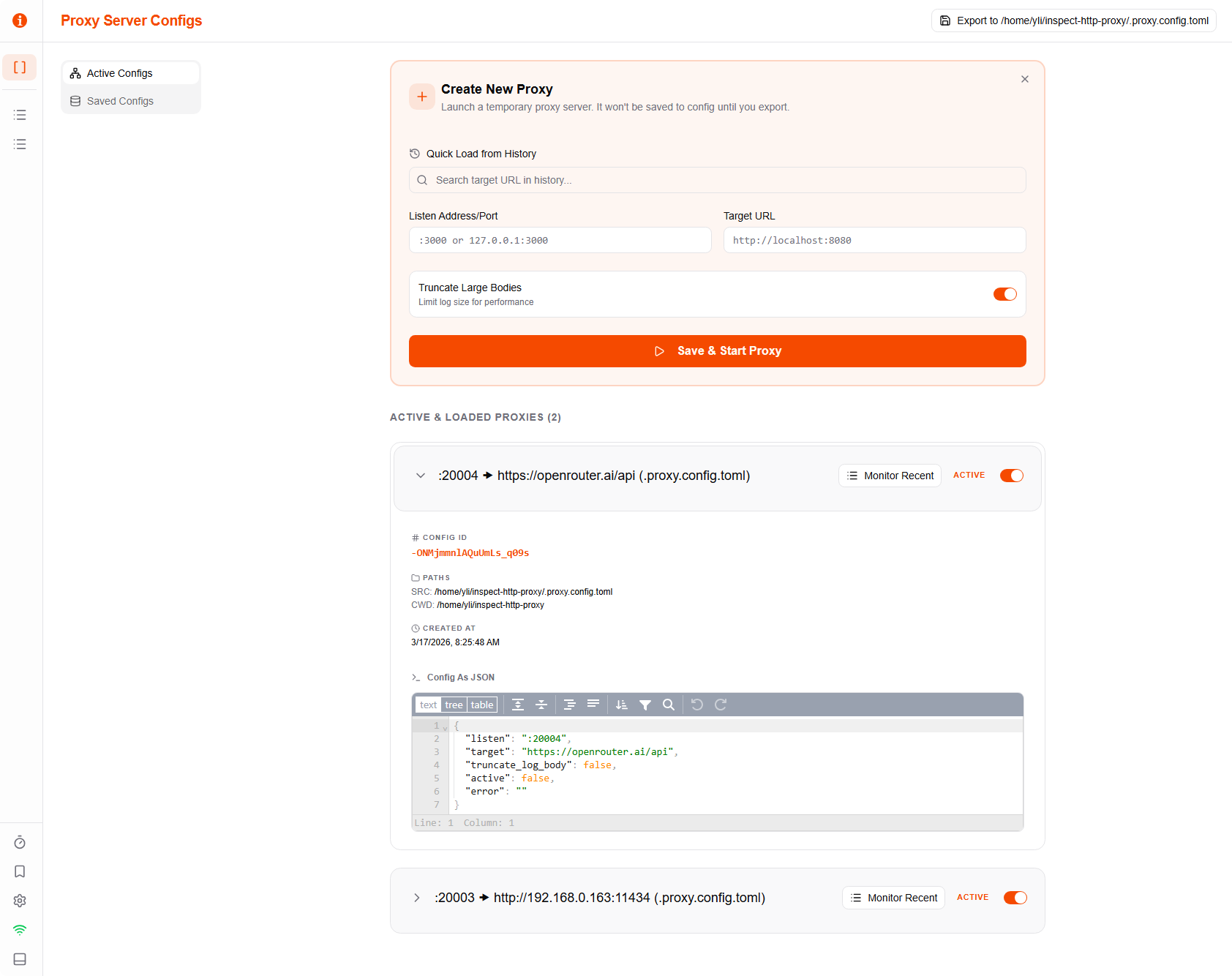
Multi-Proxy Management
ihpp allows you to manage multiple proxy targets simultaneously from a single instance.
Proxy Configuration
Each proxy consists of:
- Name: A friendly identifier.
- Listen Address: The local port
ihppwill listen on (e.g.,:8080). - Target URL: Where the traffic should be forwarded to.
Dynamic Proxies
You can create proxies dynamically through the UI. These are kept in memory until you explicitly export them to your configuration file.
tip
Dynamic proxies are highlighted in the UI to remind you they are temporary.
Daemon Mode
Run ihpp as a background service using the --daemon or -d flag. This is ideal for development environments where you want persistent proxies across terminal sessions.
Status and Control
Interact with the running daemon using subcommands:
ihpp status: See all active proxies, their configurations, and any errors.ihpp stop: Gracefully shutdown the daemon and all its managed proxies.
Configuration File
Proxies can be persisted in a .proxy.config.toml file. This is the recommended way to manage long-term projects.