Sync with a server
Tabverse is local first. On its own it needs no account and no network: every tabverse, note, todo and bookmark lives in this browser's own database.
If you want the same workspace on more than one browser, you can pair Tabverse
with a sync server. The server is tabversed, an open source Go program you
run yourself; the extension talks to exactly the address you type, and to
nothing else. See Self-host a server to run one.
What syncs
- tabverses, with their tabs, tab groups and split views
- notes, todos and bookmarks
- history (closed tabs)
- the periodic session snapshots older clients wrote (pruned by retention)
Pairing a device
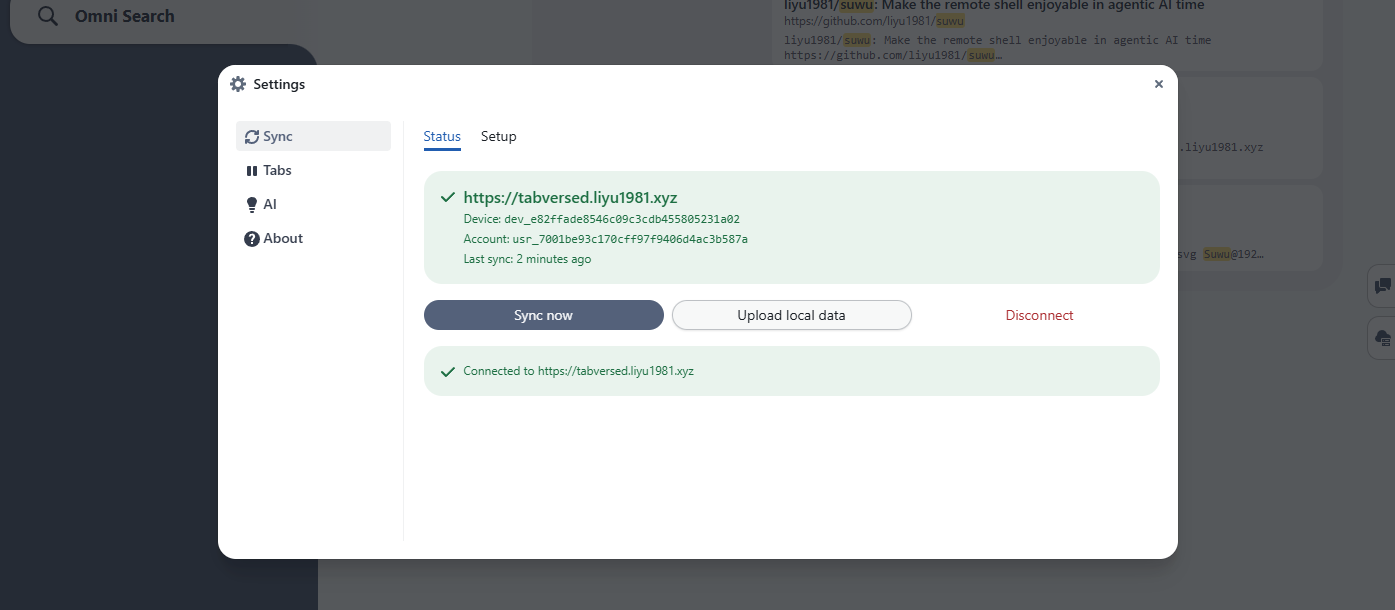
The sync settings are in Settings ▸ Sync (the Sync button at the bottom left). Once a device is paired, the Status tab shows the server, the device and account ids, and when it last synced, with Sync now, Upload local data and Disconnect:
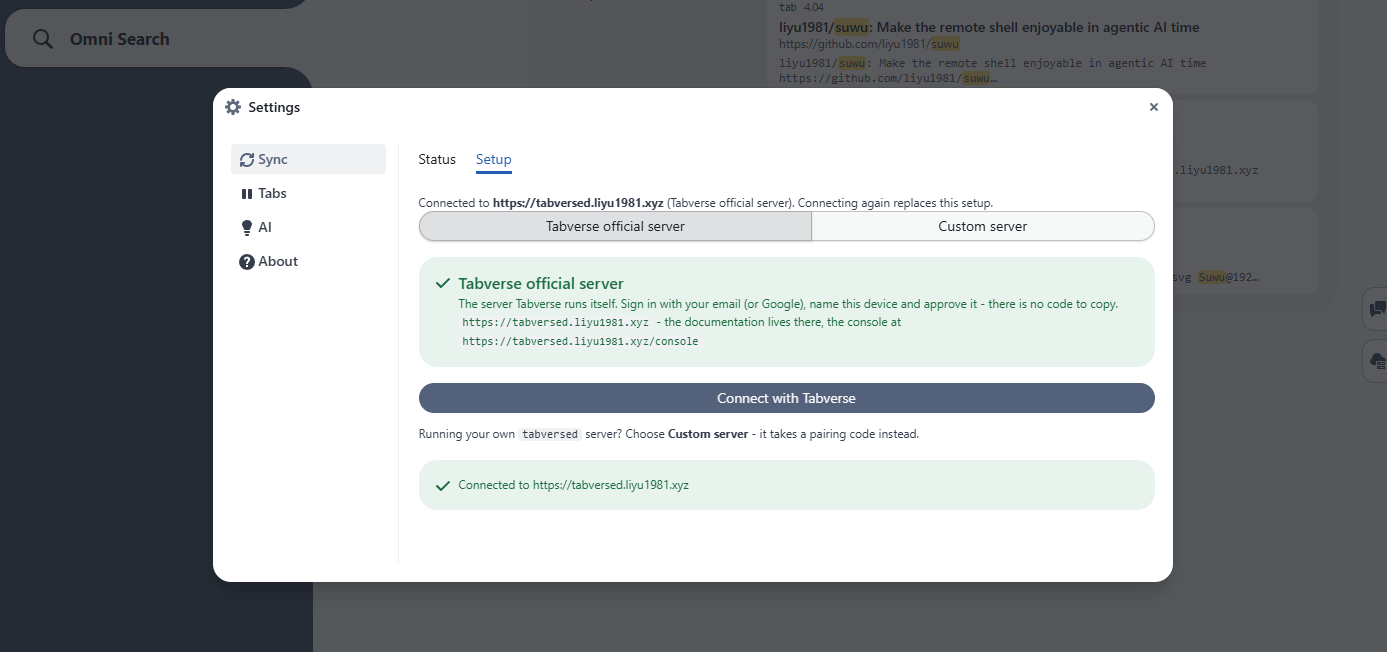
The Setup tab has the two ways to pair.
Tabverse official server - the server the project runs. Sign in with your email (or Google), name the device and approve it; there is no code to copy.
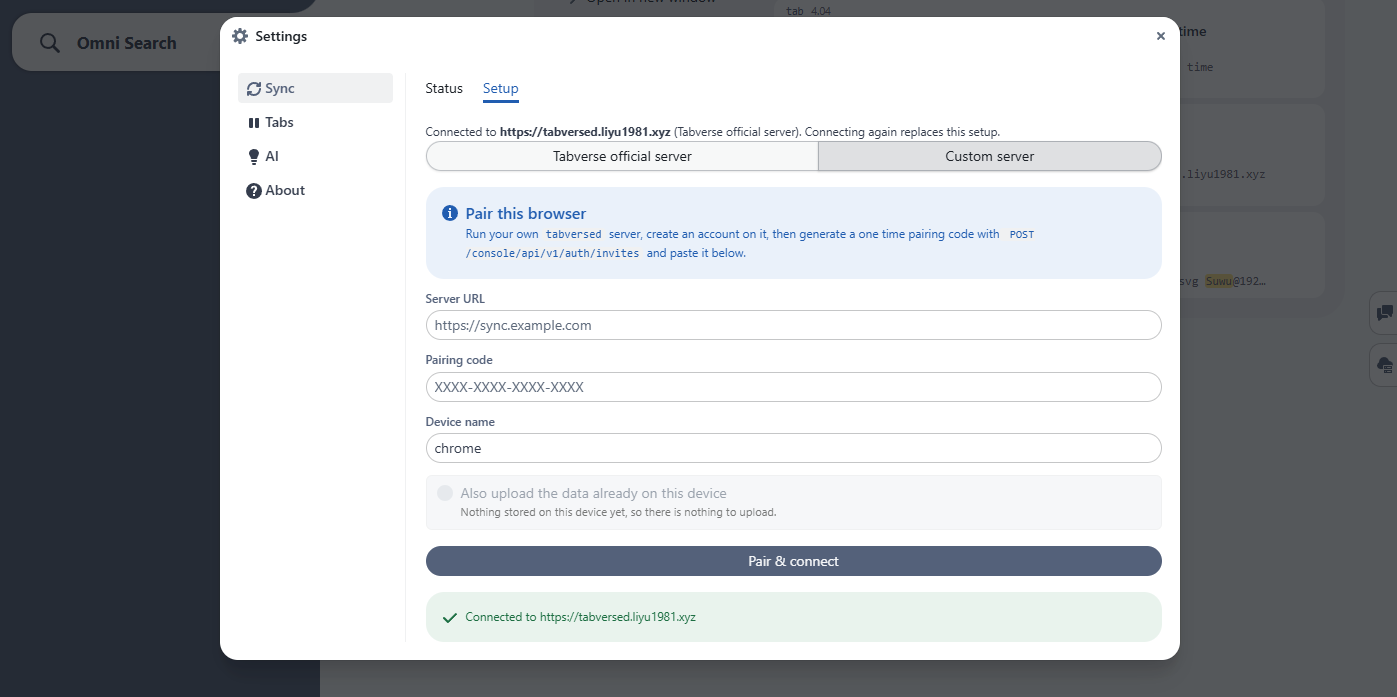
Custom server - a tabversed you run yourself. Paste its URL and a
single-use pairing code minted in its console (see
Self-host a server).
Each browser pairs once and receives its own device token, which is the only credential that reaches the account's data. A device can be unpaired from the server at any time, and Disconnect stops the sync on this side.
Accounts and the console
A device is paired; it is not a login. The server also has a small web console, where you sign in to see and manage the account:
- the paired devices and their tokens, and revoke a lost one
- the stored data - tabverses, records and search - read only
- (operators) the directory of accounts on the server
Sign-in is a single-use link emailed to you, or GitHub / Google if the operator of that server configured it; the first time, that leads to a Create your account page before the account exists. There is no master token or shared password: the person who runs the server is an ordinary account, and everything done in the console is recorded. See the Server Console.
Privacy
The server stores what it must to index and serve your data, in plain text on
its disk, so that server-side search can find it; put it on an encrypted volume
for more. Session snapshots are pruned after 14 days by default
(TABVERSED_RETENTION_DAYS, 0 keeps them forever). Disconnecting a device
stops the sync, and the local copy is untouched.
Nothing is ever sent to a third party, and nothing leaves for any host but the server address you entered. The full posture is in the privacy policy.
Next
- Self-host a server - run
tabversedfor yourself. - Server Console - the account and data surface of a deployment.