Note tool
The Note tool holds rich-text notes attached to the tabverse. A note is a small document with a name; it is saved with the tabverse, restored with it, and - when you pair a server - synced like everything else.
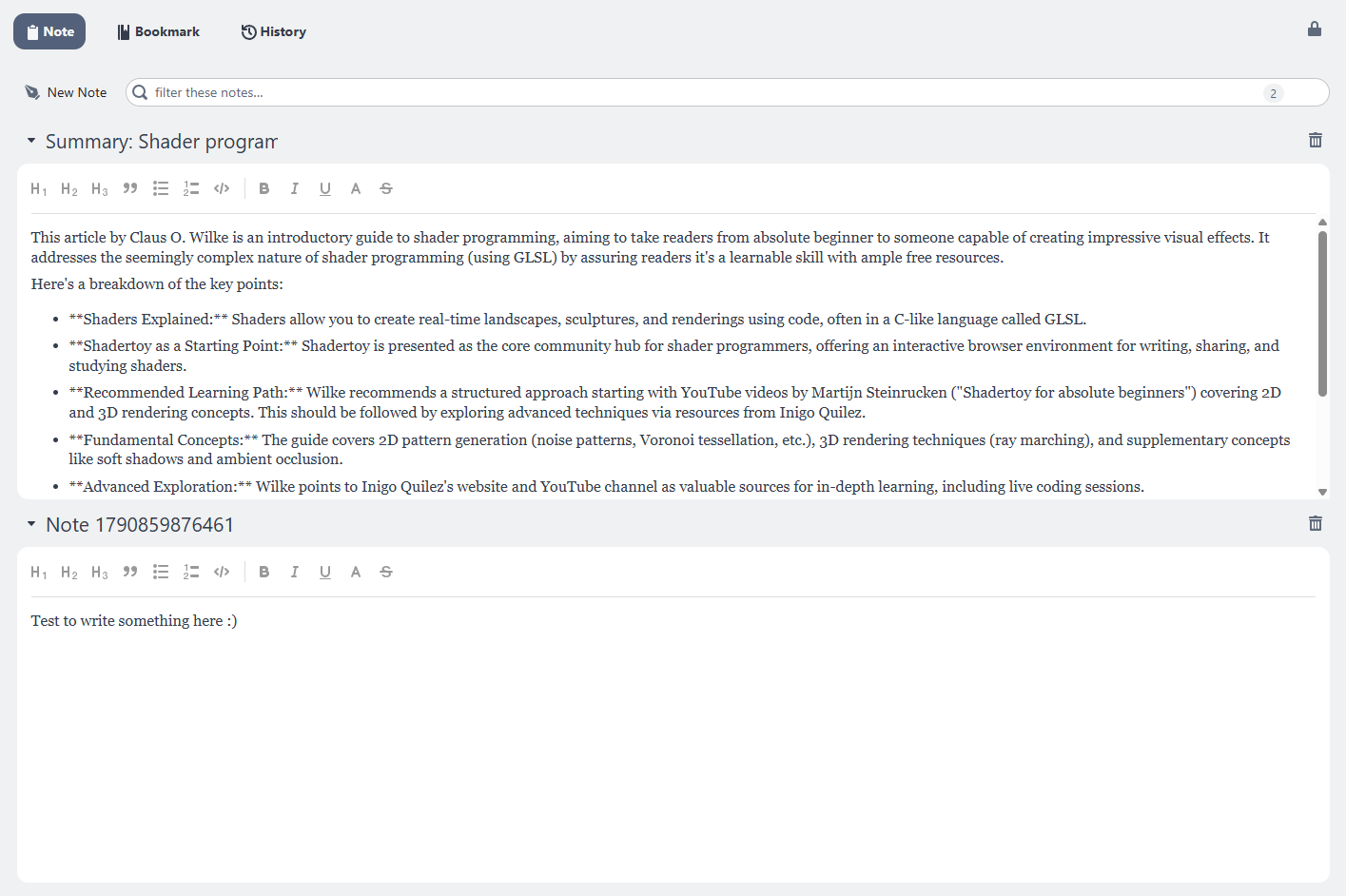
Create and edit
- New Note adds a note named
Note <timestamp>and opens its editor. - Click the name to rename the note.
- The editor is rich text: headings H1-H3, bold, italic,
underline,
monospace,strikethrough, blockquote, bullet and numbered lists, and code blocks. - The caret on the left collapses a note (collapsing saves it); the trash button deletes it.
Notes are saved when you leave the editor or collapse the note.
Filter
The box above the list filters notes by their name and their text, and shows how many of how many match.
Summarize a tab into a note
Where Chrome ships its built-in model, the lightbulb on a live tab row offers New note with AI summary - the page's article is summarized into a new note in this tabverse - and Append to current note with AI summary, which proposes the same summary in the note you are editing, for you to review before it is written. The summary is built from the page's Markdown, so it reads the article rather than the page's navigation and footers.
See On-device AI for the page actions (including View page content as Markdown and Send page content to AI chat).